What Is an Agentic ATS? A Plain-English Guide for Recruitment Agencies
An agentic ATS lets software agents do your desk admin while you keep the final say.
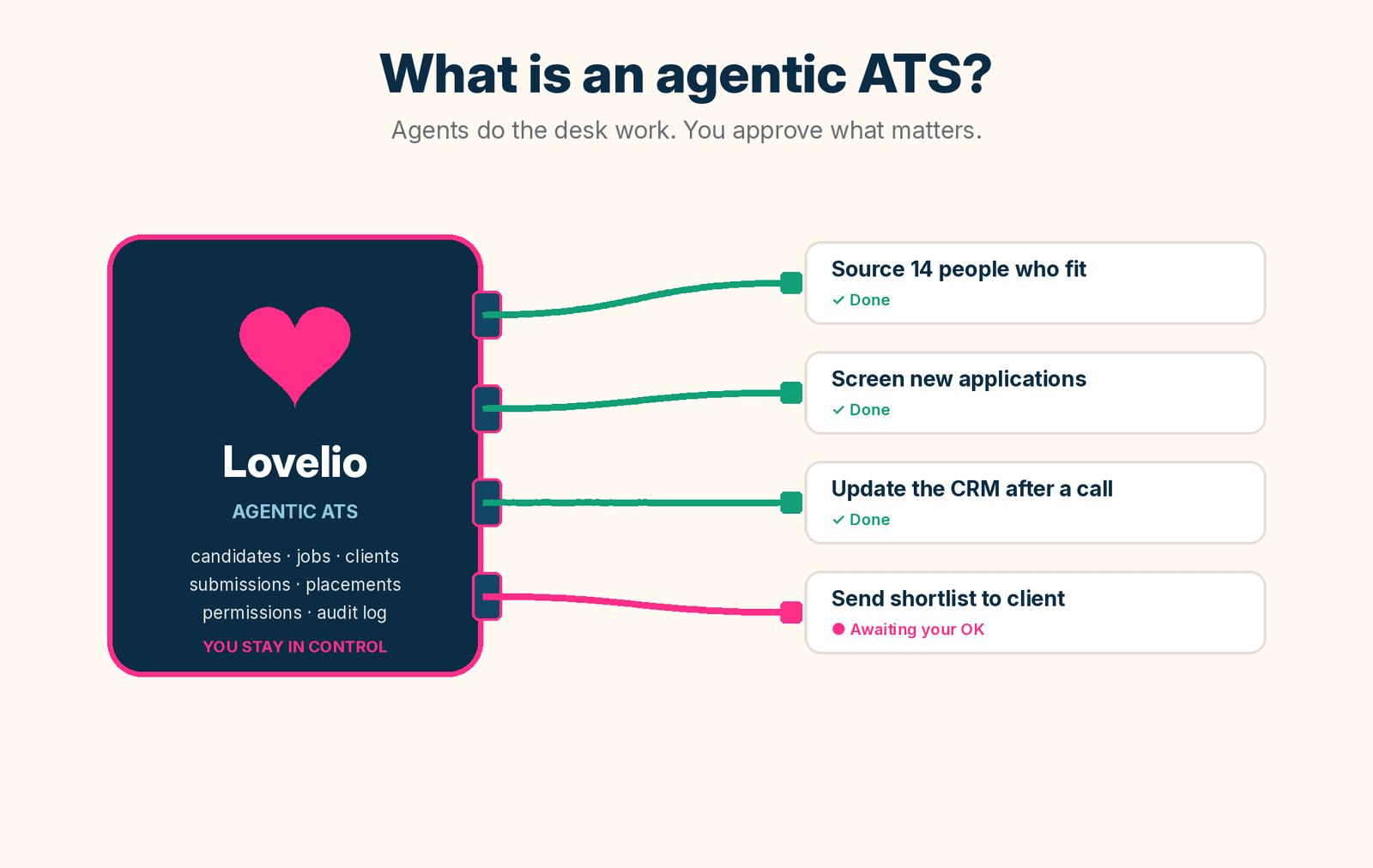
An agentic ATS is an applicant tracking system that software agents can work inside. It is not just a database you type into. It is a system an agent can read, update and act on for you, with your permission, while you keep the final say on anything that matters.
Most agency owners have heard the word "agentic" a lot this year. Few have had it explained without jargon. This guide covers what an agentic ATS actually does on a recruitment desk, how it differs from the ATS you use today, how to keep it safe, and when it is worth caring about. I will use Lovelio as the worked example, because that is the one we build.
What "agentic" means in recruitment
An agent is software that can take a goal, work out the steps and carry them out using tools. You say "find me five people for the Senior Accountant role and draft a float for each". The agent searches your database, checks who fits, drafts the messages and brings them back to you to review.
A chatbot answers questions. An agent does work. That is the whole difference.
On a recruitment desk, much of the work is admin around the real job. Logging calls. Moving candidates between stages. Writing specs and ads. Chasing clients for feedback. Recording placements and fees. Very little of it needs your judgement, but all of it eats your day. An agent can take most of it off your plate.
What is an agentic ATS?
An agentic ATS is an ATS built so agents can use it as easily as people can. Every action a consultant can take on screen, an agent can take too, through a secure connection and under the same permissions.
That sounds simple, but it is a big shift. Most recruitment software was designed around screens. Data goes in through forms and comes out through reports. If you want something done, a person has to click through it. Adding a chat window to that does not make it agentic. The agent still cannot do much, because the system was never built to be driven by anything other than a mouse.
A true agentic ATS has three things:
- Every action is open. Jobs, candidates, applications, interviews, submissions and placements can all be read and updated by an agent, not only by a person on a screen.
- Permissions are explicit. You choose what an agent can see and what it can change, and you can switch it off at any time.
- Everything is logged. Every action an agent takes shows in the same activity history as your team's work, so you always know who did what and when.
How an agentic ATS differs from a traditional ATS
A traditional ATS is a filing cabinet with a search bar. It stores your data well, then waits for you. Nothing happens until a consultant opens it, finds the record and clicks the button.
An agentic ATS still stores your data. The difference is that it can also act on that data when you ask. A few examples:
- Traditional: you build a Boolean search and scroll the results. Agentic: you ask "who are our strongest finance candidates in Sydney right now?" and get a ranked list with reasons.
- Traditional: you type up notes after every call. Agentic: you tell the agent what happened and it logs the note, moves the candidate to the next stage and sets the follow-up.
- Traditional: you build a shortlist by hand and email it. Agentic: the agent builds the submission, drafts the candidate summaries and waits for your OK before anything goes to the client.
- Traditional: reports tell you what happened last month. Agentic: a morning update tells you what needs your attention today.
The data is the same. What changes is who does the clicking.
What an agent can actually do on a recruitment desk
These are tasks agents handle well today. In each case you stay in charge of anything that goes out to a client or candidate.
- Sourcing. Search your own database for people who fit a new job, including people you placed or floated years ago. In Lovelio this matches on skills and experience, not just keywords.
- Screening. Read new applications against the job criteria and score each one, so you start with the best five instead of the first fifty.
- Job creation. Turn a one-line brief like "senior backend engineer for Acme in Toronto, CAD 140k" into a draft spec, job ad and interview plan for you to review.
- CRM updates. Log calls and notes, move candidates through stages, add client contacts and keep records tidy after every conversation.
- Submissions. Build a shortlist, draft the summaries and send the client a review link once you approve it.
- Chasing. Nudge a client contact who has not responded to a shortlist, so good candidates do not go cold.
- Placements. Record the offer, the placement, the fee and the start date, and track the guarantee period.
- Daily briefings. Tell you each morning what happened since yesterday and what needs your attention.
None of this replaces the parts of recruitment that need a human. Building trust with a client. Hearing the hesitation in a candidate's voice. Negotiating an offer. An agentic ATS gives you more time for those, because less of your day goes on admin.
Who is in control? Human confirmation and safety
The fair worry is "what if the agent sends the wrong thing to the wrong person?" A well built agentic ATS answers that with design, not promises. Look for six things:
- Human confirmation. Anything that leaves your agency, like a shortlist to a client or an email to a candidate, should wait for your OK. Drafts first, sends second.
- Sign-in with OAuth, not shared passwords. You connect an agent by signing in to Lovelio and approving it on a consent page. The agent never sees your password, and no API key is handed over.
- Scoped permissions. You choose what the agent can do. Read access means it can look things up and nothing more. Write access lets it act. You can clear any permission you do not need.
- The same rules as your team. An agent can never do something the person who connected it could not do themselves.
- A full audit trail. Every action is logged in the activity history, so you can see exactly what was done, by whom and when.
- An off switch. Revoke the connection in settings and access stops straight away.
If a software vendor cannot explain these six points in plain English, be careful.
Which agents can connect to Lovelio?
Lovelio uses MCP, the Model Context Protocol. It is an open standard, not one company's product, and it lets agents connect to software safely. Any agent or desktop app that speaks MCP can connect to Lovelio, and you can switch to a different one later without changing anything on our side.
That matters because the agent market moves fast. You should not have to choose your ATS based on which assistant is popular this quarter. With an open standard, your data stays put and the agent is your choice.
Setup takes about two minutes and is explained step by step at https://lovelio.ai/docs/mcp. If you have a developer, or you want to build your own tools on top, the full API and a free sandbox are at https://lovelio.ai/developers.
Do I have to replace my current ATS?
No. You can run Lovelio as your full ATS, or alongside the system you already use. We copy your data in, an agent pushes new jobs into Lovelio as you create them, and Lovelio gets to work. It finds people in your database who fit, tells you when past placements and clients change jobs, and surfaces clients you have not spoken to in a while. You can read how it works at https://lovelio.ai/plays-with-your-ats.
Plenty of agencies start this way. It is a low-risk way to see what agents can do with your own data before you change anything else.
When should your agency care?
Now, if any of these sound familiar:
- Your consultants spend more time updating the ATS than talking to people.
- Good candidates in your database get forgotten because nobody has time to search for them.
- Shortlists sit with clients for days because nobody chased.
- You are a small agency or a solo recruiter, and admin is the ceiling on your billings.
- You are starting a new agency and want to set things up the right way from day one.
If none of those apply, you can wait. But the gap between agencies that use agents and agencies that do everything by hand will widen quickly. Trying it costs little. Being late costs more every month.
How Lovelio fits
Lovelio is AI-first ATS and CRM software for recruitment agencies, built from day one so agents can work inside it. Every screen in Lovelio runs on the same public API, and every action is open to agents through MCP, with the same permissions and audit trail as your team.
It is self-service. You can sign up, connect your agent and start working the same afternoon. Pricing is based on the work you do, not the number of users, and you get seven days free. Details are at https://lovelio.ai/pricing.
We are also building a dedicated page that goes deeper on the agentic ATS for agencies. It will live at https://lovelio.ai/agentic-ats very soon.
Is an agentic ATS the same as an AI ATS?
Not quite. Many tools sold as an "AI ATS" add AI features inside the app, like CV parsing or a writing assistant. An agentic ATS goes further. It lets agents take actions across the whole system, under your permissions. Lovelio does both.
Will agents replace recruiters?
No. Agents replace admin. Recruitment is still a relationship business, and clients still buy from people they trust. Agents give you more hours for that work.
Is my candidate data safe with an agent?
In Lovelio, an agent only gets the permissions you approve. Access tokens expire after an hour, every action is logged, and you can disconnect any agent at any time.
Do I need to be technical?
No. You talk to the agent in plain English. "How is the Product Manager role going?" is enough. If you can write an email, you can use an agentic ATS.
An agentic ATS is the difference between software you work for and software that works for you. If you want to see it on your own desk, start a free trial at https://lovelio.ai/pricing, or book a demo and we will show you exactly how it works for your agency.