If you are a Xero user, your placements can now automatically generate draft invoices in Xero.
When placement invoices are paid, the placement is automatically updated as paid in Lovelio.
Where to find it
SettingsIntegrations
12 November 2026
Company merge
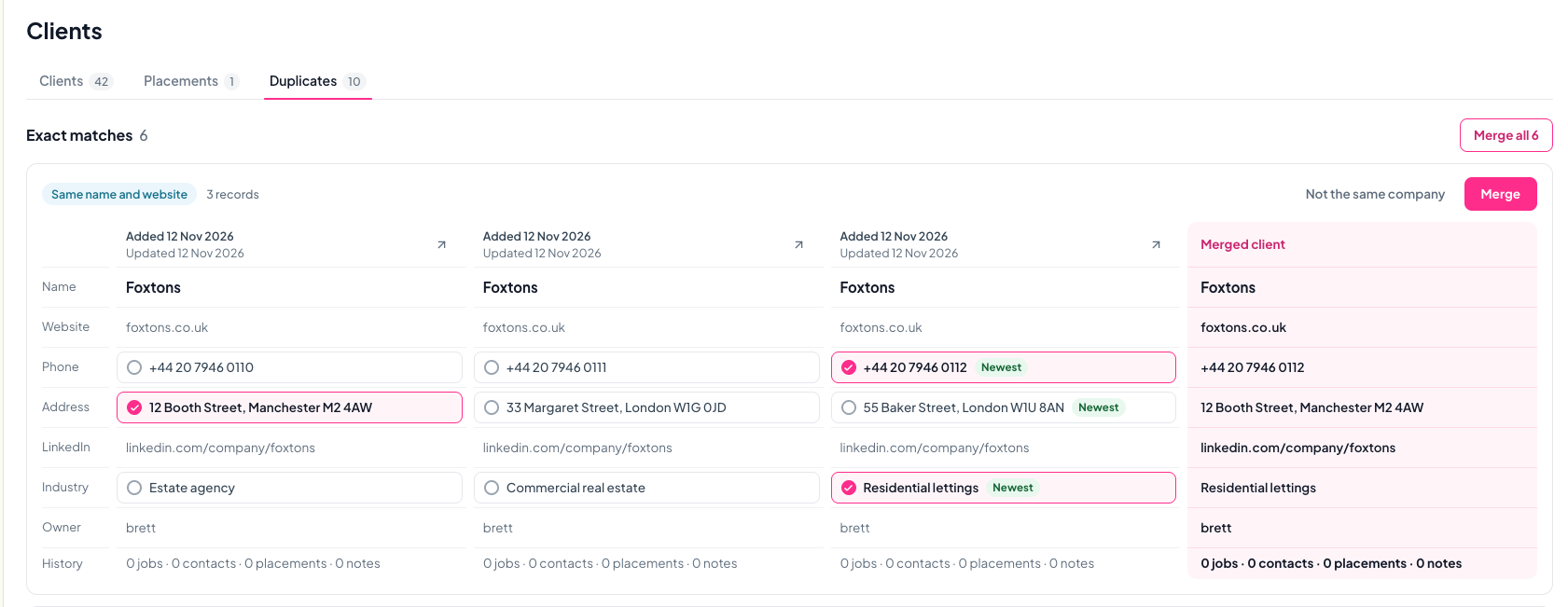
You can now merge client records in just a few clicks. Ensure that all fields have the latest and most accurate information. No attachments, jobs, contacts, or any related information is lost during a merge.
Where to find it
ClientsDuplicates
How to use it
1Note that when you merge companies together, there is a 60-second undo period. The companies will appear as one merged entity after that 60 seconds.
12 November 2026
Putting the fun back in recruitment with TV dashboards
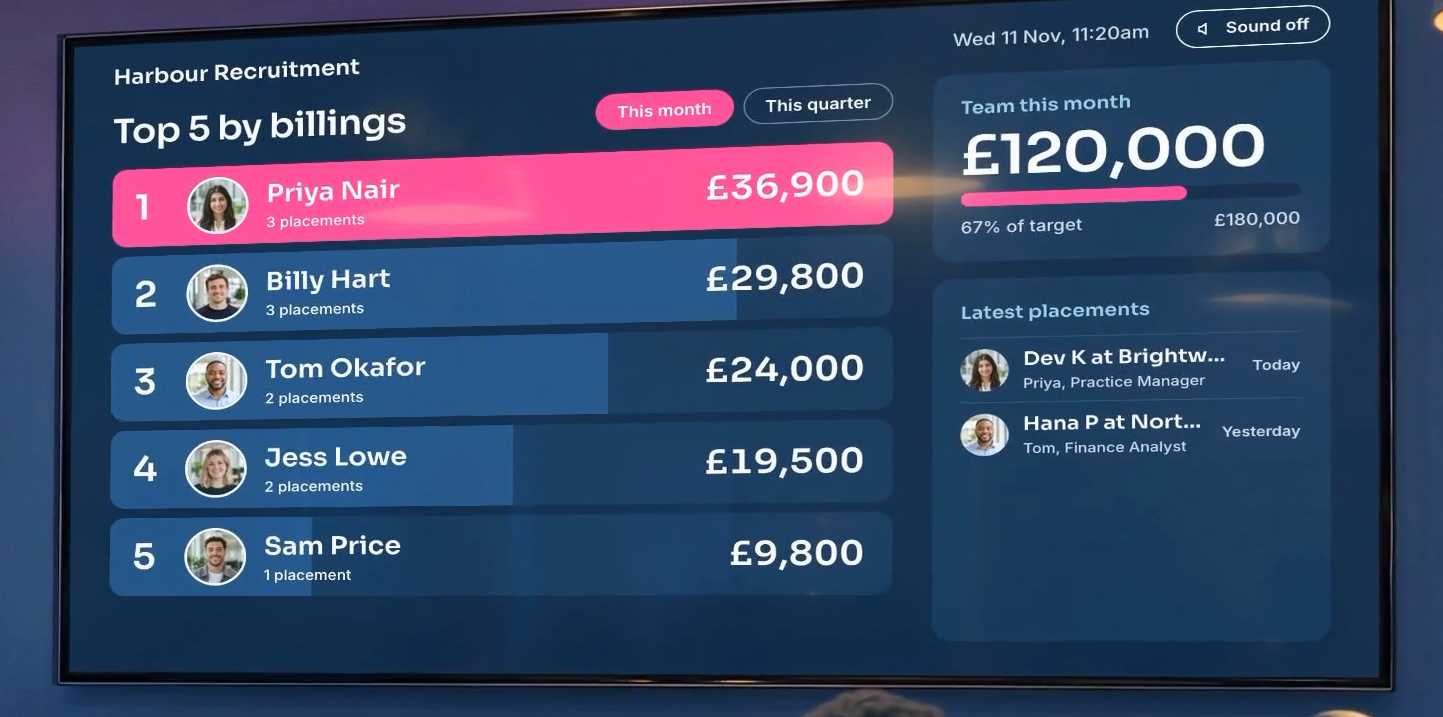
Whether you're working in an office or from home, the Lovelio TV dashboards keep you and your team connected. Celebrate the wins. Track your placements and leaderboards. See where your contractors are up to, who's being interviewed today, and much more.
Where to find it
SettingsCompanyOffice TV
How to use it
1Don't forget to customise the celebration sound for each consultant. Available to admin users to set up in settings
11 November 2026
New People Merge
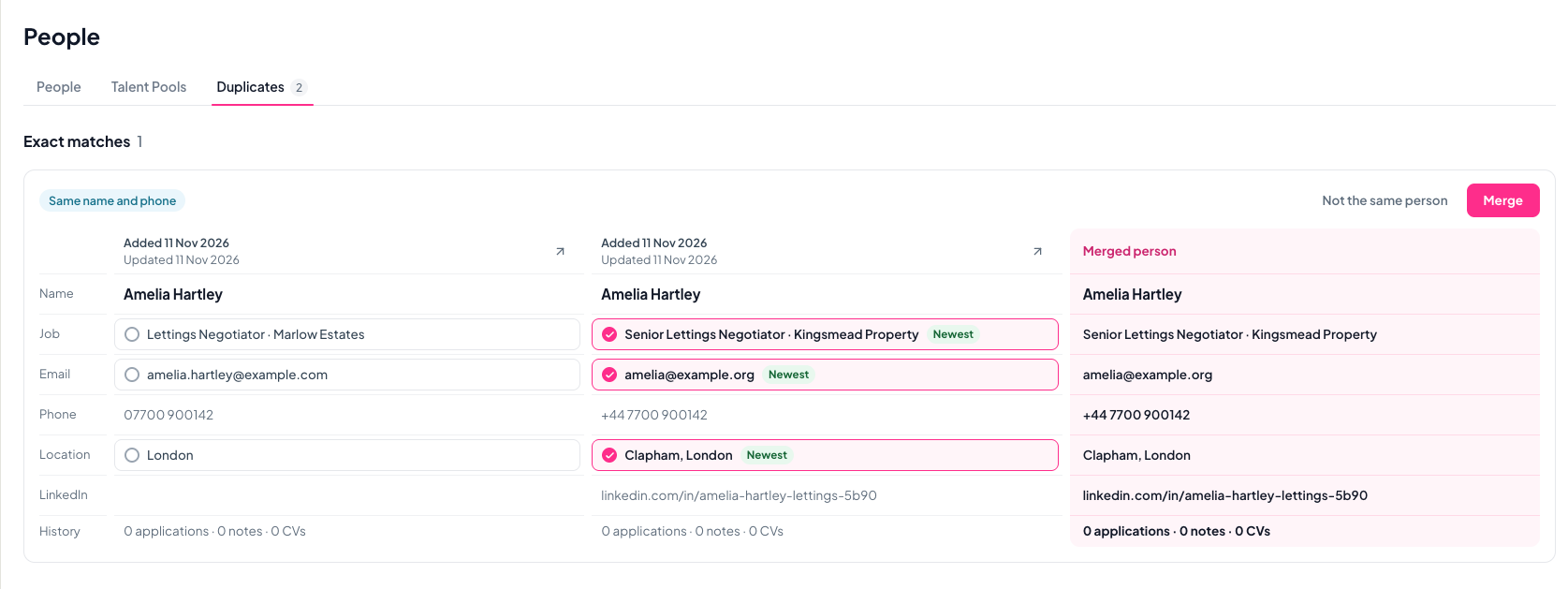
Merge people records easily - choosing the latest/best information for each field. All data on all merged records is retained in the new record.
Where to find it
PeopleDuplicates
29 October 2026
Rate cards for contractors
You can now set up your contract rates once and have Lovelio work out the costs and rates for you.
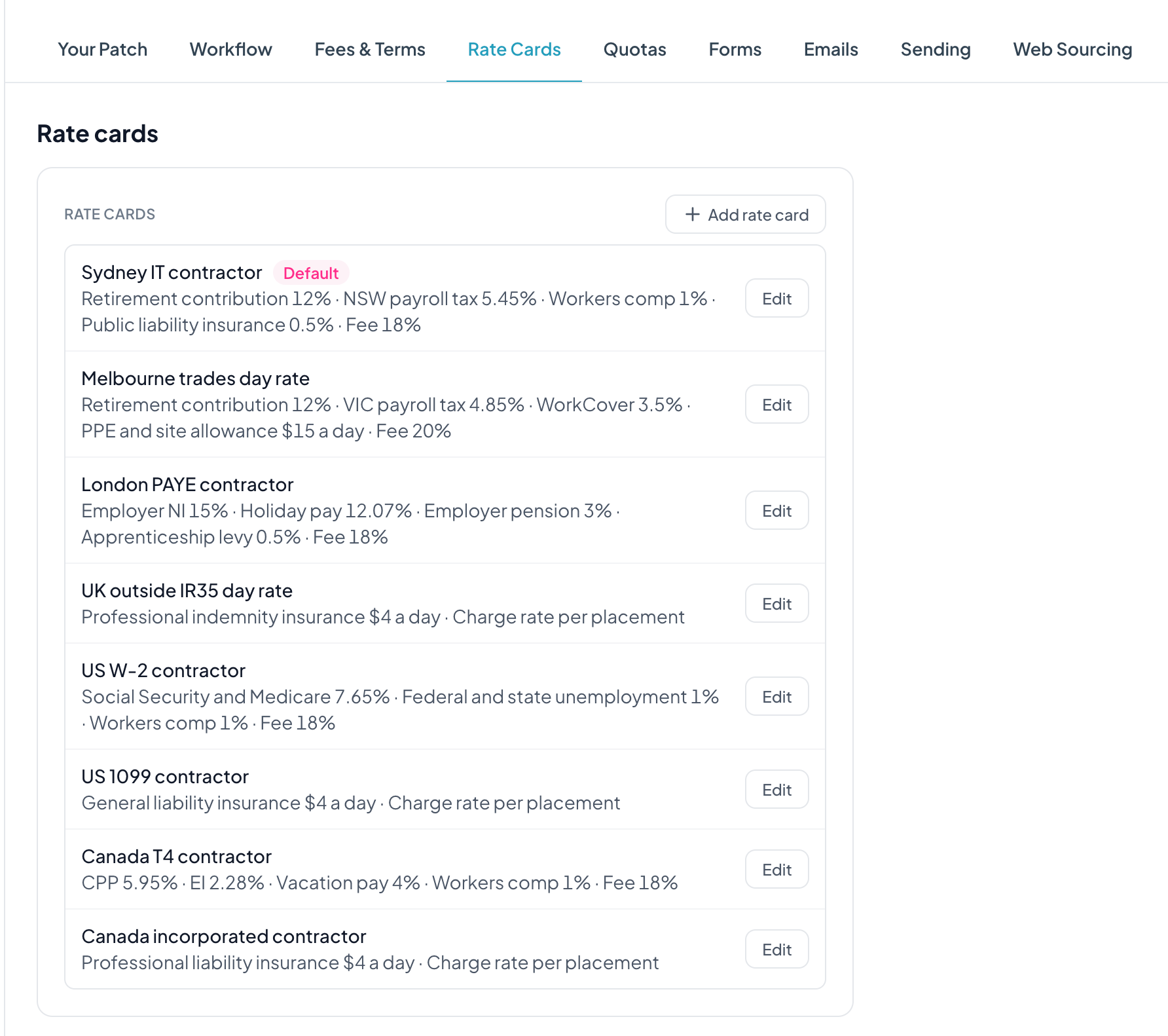
A rate card holds your employer costs, such as pension or super contributions, payroll tax and insurance, plus your margin. Give each kind of contract its own card, such as payrolled, limited company or referred, and pick one as your default.
When you log a contract placement, type the pay rate and Lovelio fills in the on-cost and the charge rate from the card. You can switch cards or change the on-cost for just that placement. A logged placement keeps its figures, so editing a card later never changes a placement you’ve already made.
Where to find it: Settings > Hiring > Rate Cards. Your cards then appear on the Log placement form for every contract role.
Where to find it
SettingsHiringRate Cards.
29 October 2026
Company search upgrade
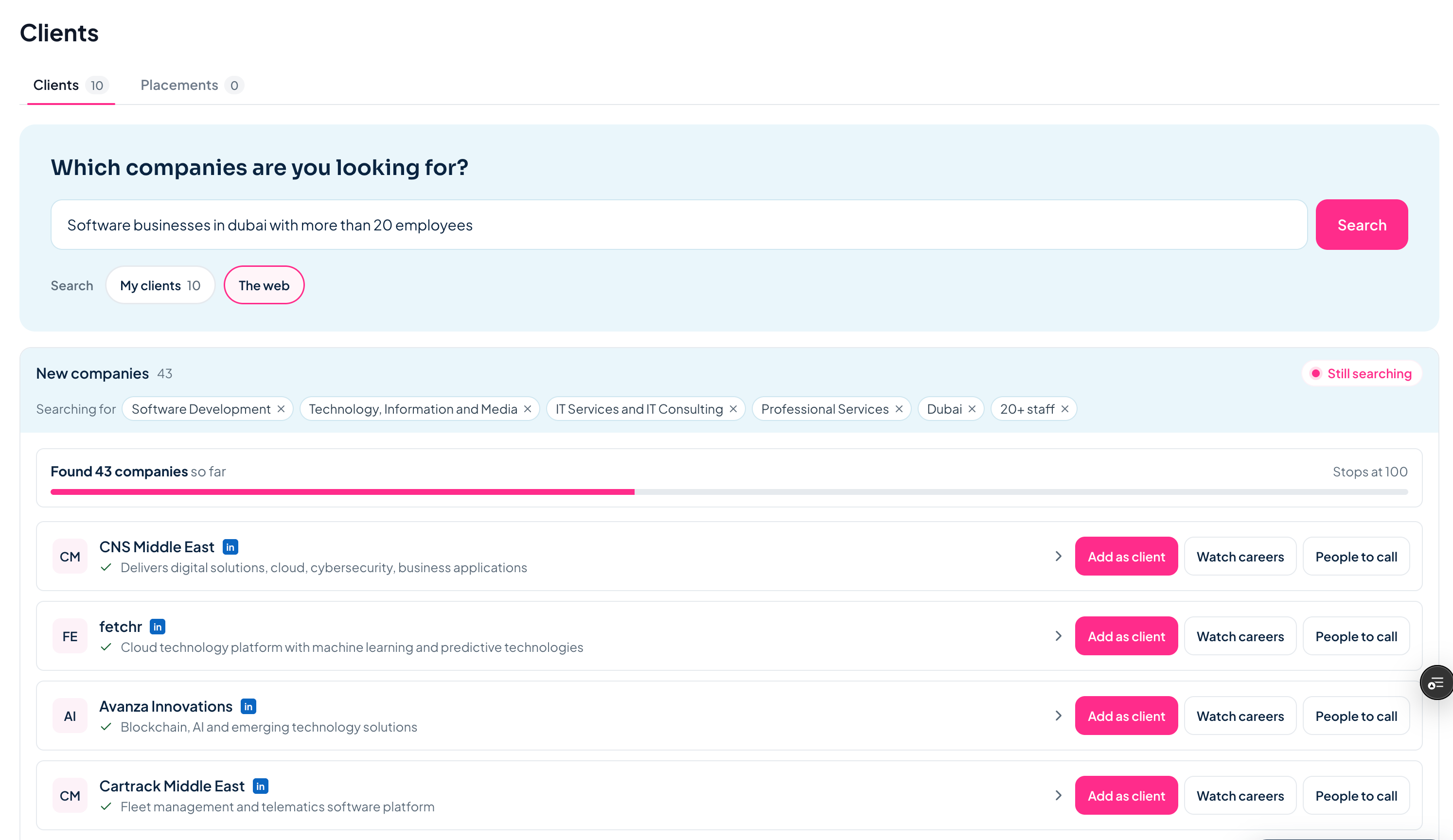
Company web search has had a major upgrade this week. It now runs deeper searches, resturns more results more quickly, and includes LinkedIn profiles so you can check companies out before adding them to Lovelio
Where to find it
CompaniesSearch
How to use it
1Go to companies and run a company seaerch with "The Web" selected
27 October 2026
Customise the menu bar on all records
To make Lovelio even faster and easier to use, you can now customise your own action bars on every record by pinning your most used actions to the button bar.
How to use it
1Click the '...' button on any record and pin your favourite actions to the button bar
26 October 2026 · System Wide
Sharing and @Mentions
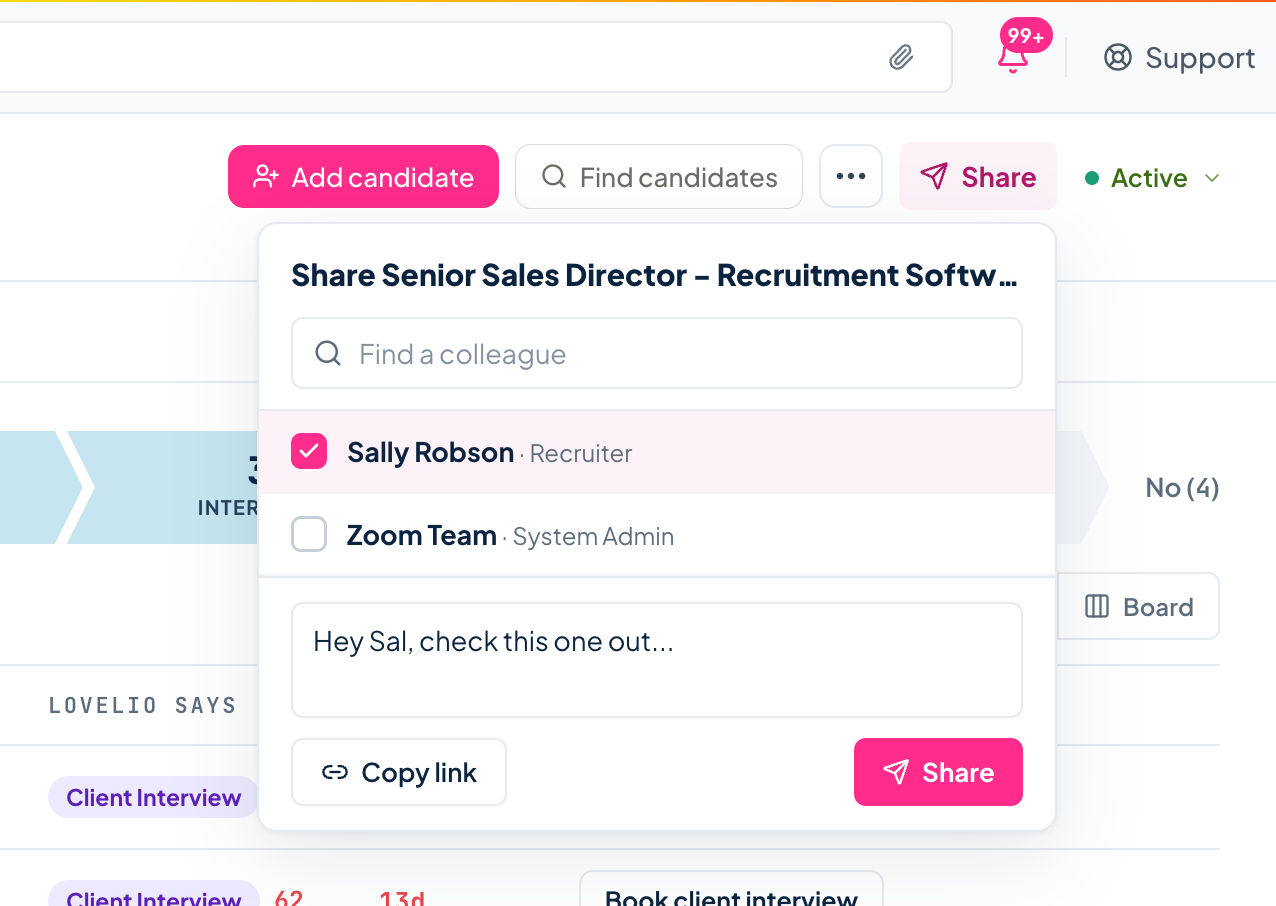
You can now share any record in Lovelio using the share button, or @mention a colleague in a note. Both options email the recipient and also put a notification in their Notifications Centre.
Where to find it
All records and notes
How to use it
1Click the "share" button on any record, select the user(s) you'd like to share with, add a note then share.
2Or @mention a user when creating a note on any record